Failure at pruneing the blockchain #11217

issue Aristondo opened this issue on September 2, 2017
  1. Aristondo commented at 9:26 AM on September 2, 2017: none

    Describe the issue

    I wanted to prune the blockchain of my Bitcoin Core node to save space in my computer. I tried to follow the intructions in different ways but it apeared to fail in all of them. My version of Bitcoin Core is v0.14..2. An my computer works with Windows 10.

    Can you reliably reproduce the issue?

    If so, please list the steps to reproduce below:

    1. First, I opened the comand line console, and tried to introduce the code "-prune=1100"and the console answered "Method not found (code -32601)". I trien to use different methods as will be shown in the screenshots I will send, but none of then worked.
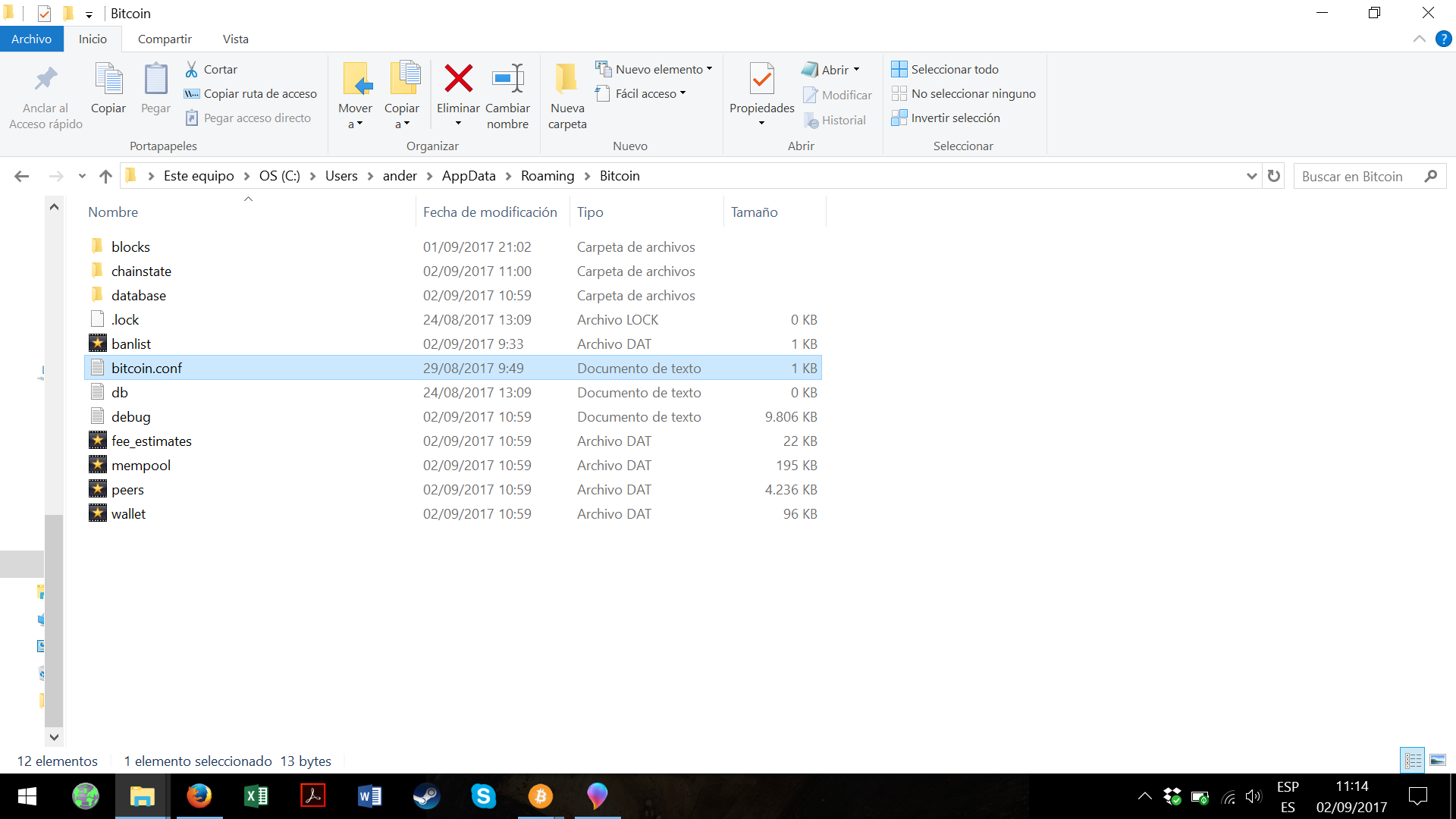
    2. Then, as other internet instructions told me, I went to the Bitcoin-Ot and created a new file and named it "bitcoin.conf". I will send you the screenshots.
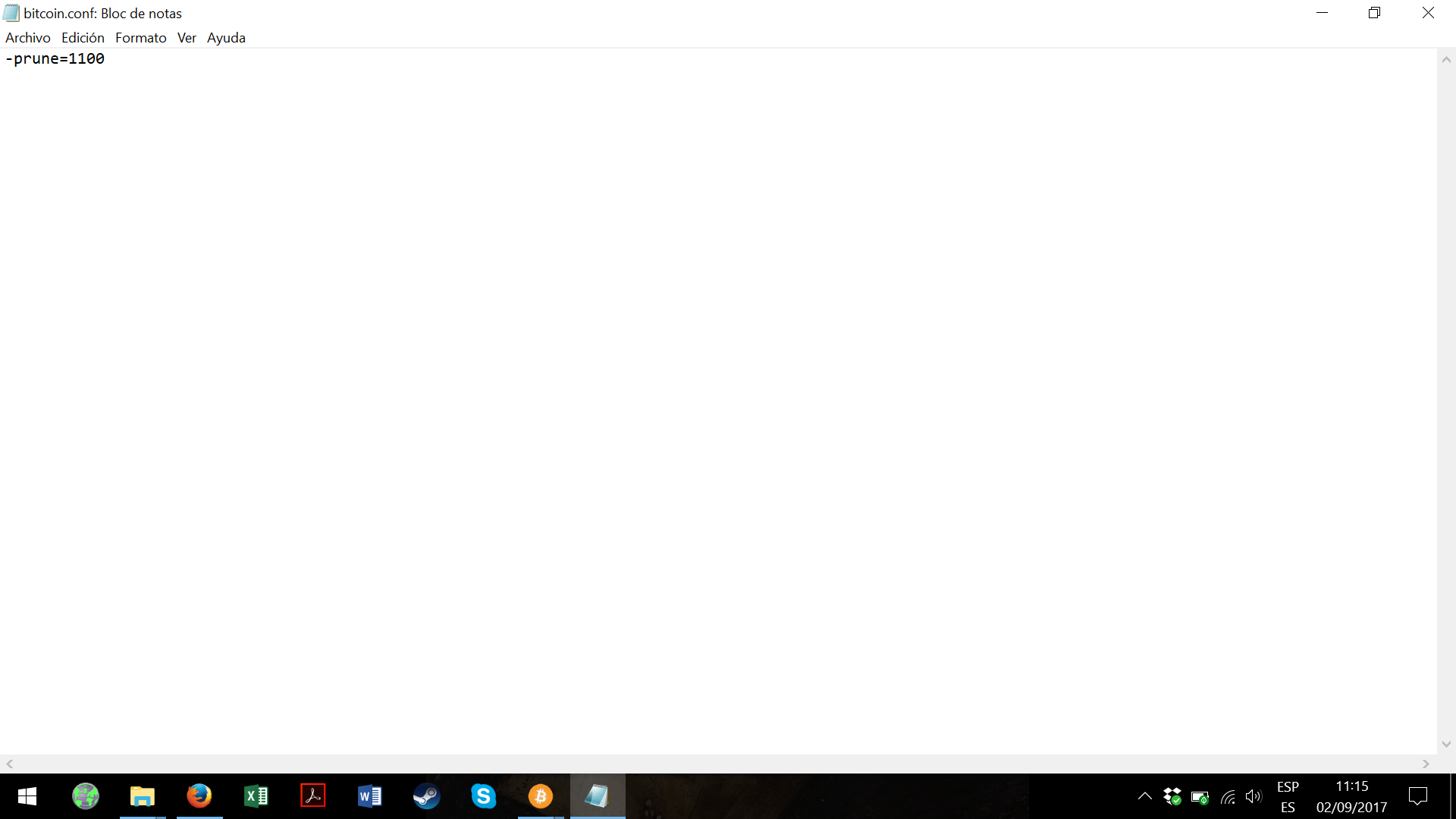
    3. A also wrote "-prune=1100" in it but it did not prune the blockchain either.

    Expected behaviour

    I expected to eliminate the old blocks of the blockchain to save space in the computer.

    Actual behaviour

    Nothing of that happened

    Screenshots.

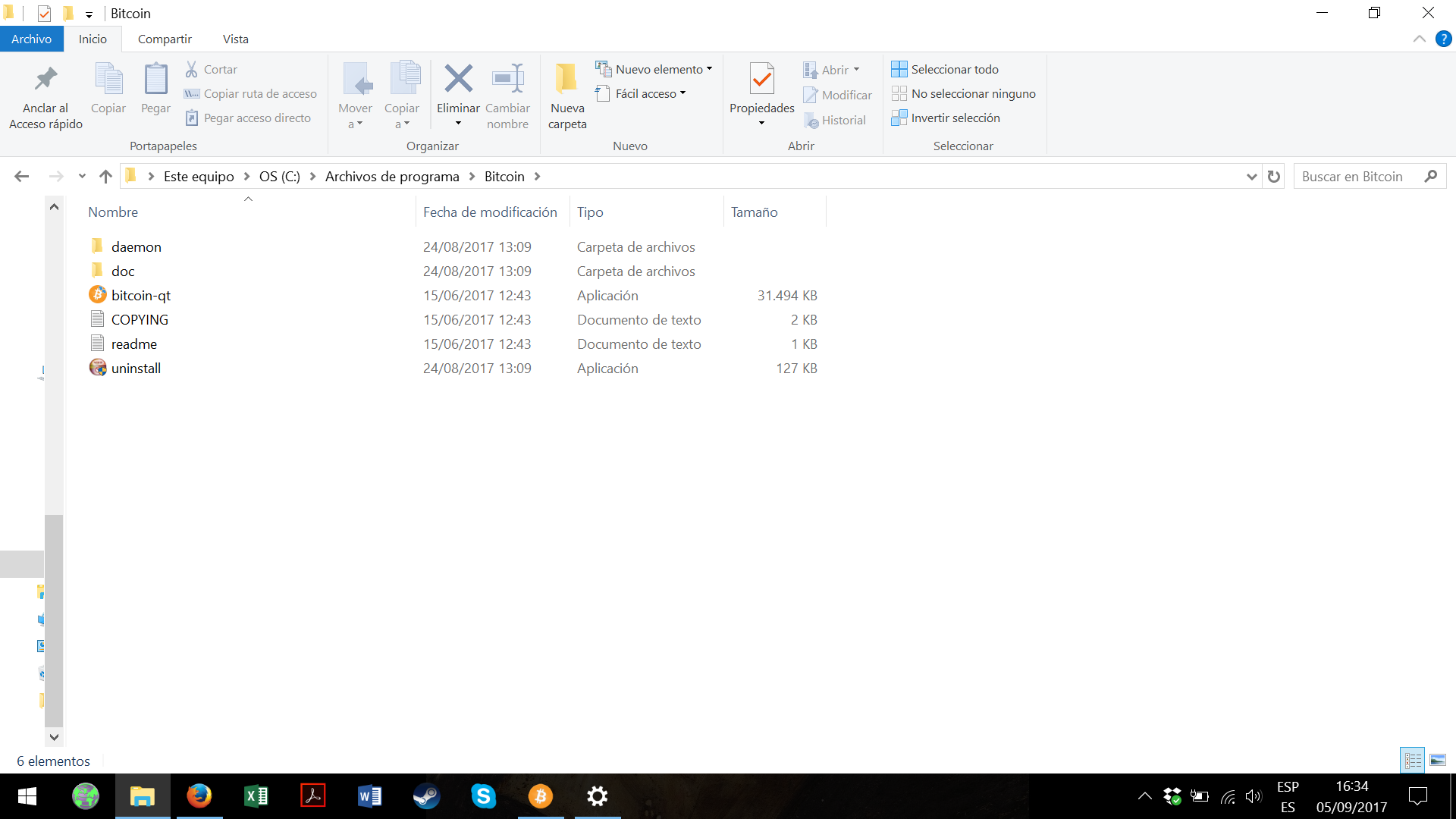
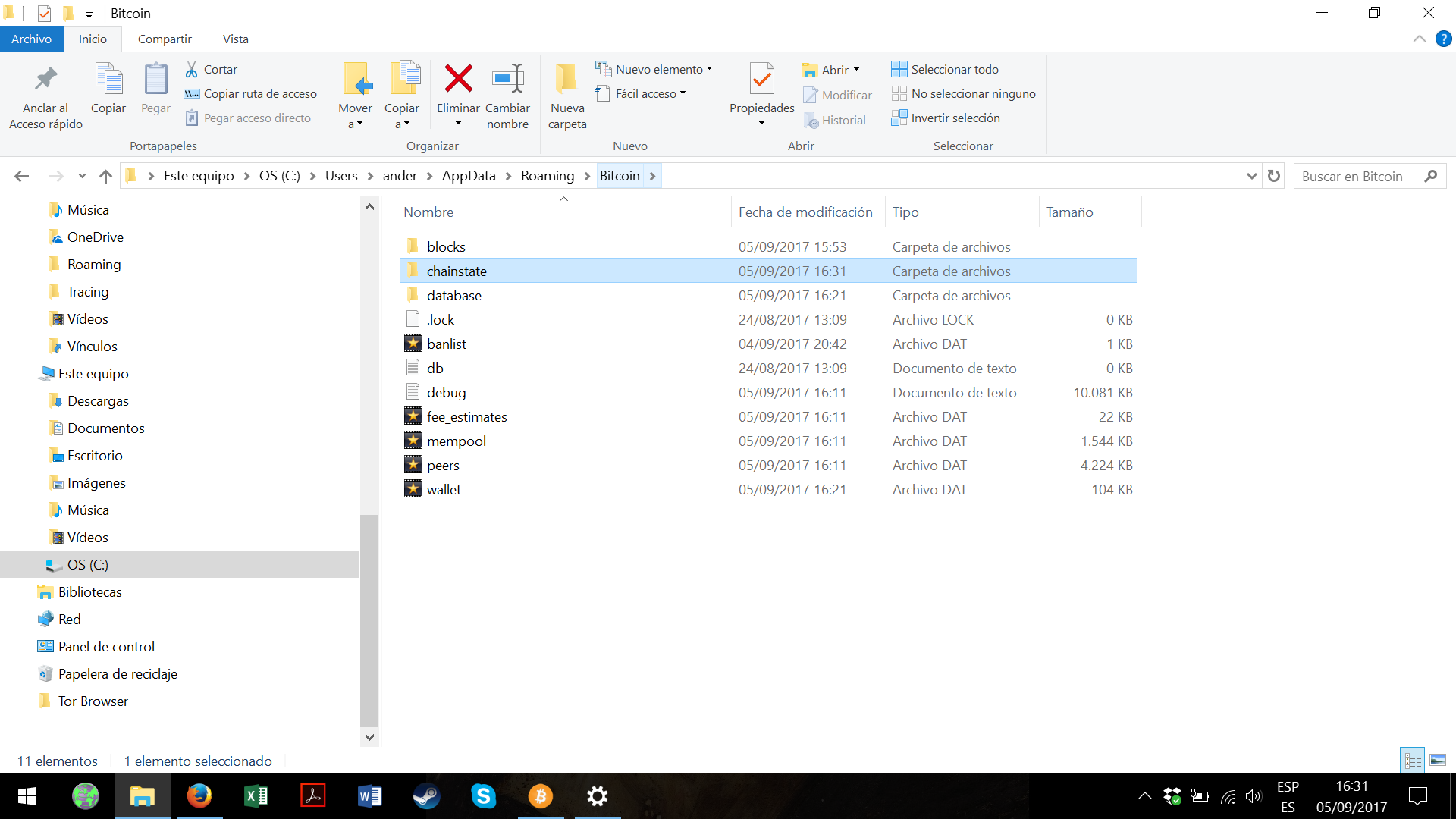
    bitcoin comand line bitcoin qt before bitcoin qt after bitcoin conf

    What version of bitcoin-core are you using?

    General Client version: v0.14.2 User agent: /Satoshi:v0.14.2/ Using Berkeley DB 4.8.30: (April 9, 2010) Datadir: C:\Users\ander\AppData\Roaming\Bitcoin Startup time: sáb sep 2 10:59:22 2017 Network Name: main Number of conections: 8 (In: 0 / Out: 8)


  2. fanquake added the label Windows on Sep 2, 2017
  3. MarcoFalke commented at 9:43 AM on September 2, 2017: member

    Make sure not to use the dash-prefix for options set in the conf file. So -key=value becomes key=value\newline in the conf file.

  4. MarcoFalke added the label Questions and Help on Sep 2, 2017
  5. Aristondo commented at 11:44 AM on September 2, 2017: none

    So, Marco, in the conf file I should write: "prune=1100..." and then what more. Sorry I am not a computer programing expert.

  6. MarcoFalke commented at 1:45 AM on September 3, 2017: member

    Yes, try removing the leading dash (-) and see if it helps.

  7. Aristondo commented at 1:31 PM on September 3, 2017: none

    I have tried but it did not work

  8. jonasschnelli commented at 5:40 PM on September 3, 2017: contributor

    You can either start bitcoin-qt with -prune=<target in MB> or add this to your bitcoin.conf (no - there).

    If you use -prune=1, you can then prune your blockchain manually by calling pruneblockchain <target in MB> via RPC or RPC-Console. If you use a value larger then 550, it will auto-prune to that target (in MB). 550 is the minimal value (that ensures 288 blocks/undos for reorgs).

  9. Aristondo commented at 7:16 PM on September 4, 2017: none

    @jonasschnelli @MarcoFalke. As I have said, I am not a computer expert, but I tried to follow those intructions, the best I could. I just desire to see where I did wrong. So my questions are:

    • I have tried both ways in the "bitcoin.conf" file once with "-prune=1100" an the other with "prune=1100" it did not work in any of those times. Maybe, as I created the file from nothing, shall I place it in another carpet?
    • @jonasschnelli, what did you mean at telling me to start bitcoin-qt with "-prune=<target in MB>"?
    • Where shall I put the "-prune=1" to be able to manualy prune the blockchain?
  10. sipa commented at 7:19 PM on September 4, 2017: member

    @Aristondo Did you restart the client?

    The config file is only read at startup. Just changing the contents of the file won't have an effect - you need to start the client.

  11. Aristondo commented at 2:35 PM on September 5, 2017: none

    @sipa So, how shall I restart the client? Do I have to uninstall and then install it again? And I have discovered that in fact I have three files with Bitcoin stuff. I do not know were to exactly put my "bitcoin.conf" file. bitcoin 64 bitcoin core bitcoin

  12. sipa commented at 2:54 PM on September 5, 2017: member

    The bitcoin.conf file needs to be placed in the data directory: https://bitcoin.stackexchange.com/questions/4006/where-is-the-data-folder-for-bitcoin-qt

    To restart the client, exit it, and open it again. No need to reinstall.

    I'm closing this issue, this is not a support site. Use https//bitcoin.stackexchange.com for community questions.

  13. sipa closed this on Sep 5, 2017

  14. MarcoFalke commented at 5:49 PM on September 5, 2017: member

    You can also wait for 0.15.0, which will land end of next week and then go to "Settings">"Options">"Open Configuration File" to make sure you open the correct file.

  15. DrahtBot locked this on Sep 8, 2021

github-metadata-mirror

This is a metadata mirror of the GitHub repository bitcoin/bitcoin. This site is not affiliated with GitHub. Content is generated from a GitHub metadata backup.
generated: 2026-04-17 03:15 UTC

This site is hosted by @0xB10C
More mirrored repositories can be found on mirror.b10c.me