Bitcoin Core slowly increase RAM use and RAM is not released on shutdown. #20900

issue fmjensen opened this issue on January 10, 2021
  1. fmjensen commented at 3:34 PM on January 10, 2021: none

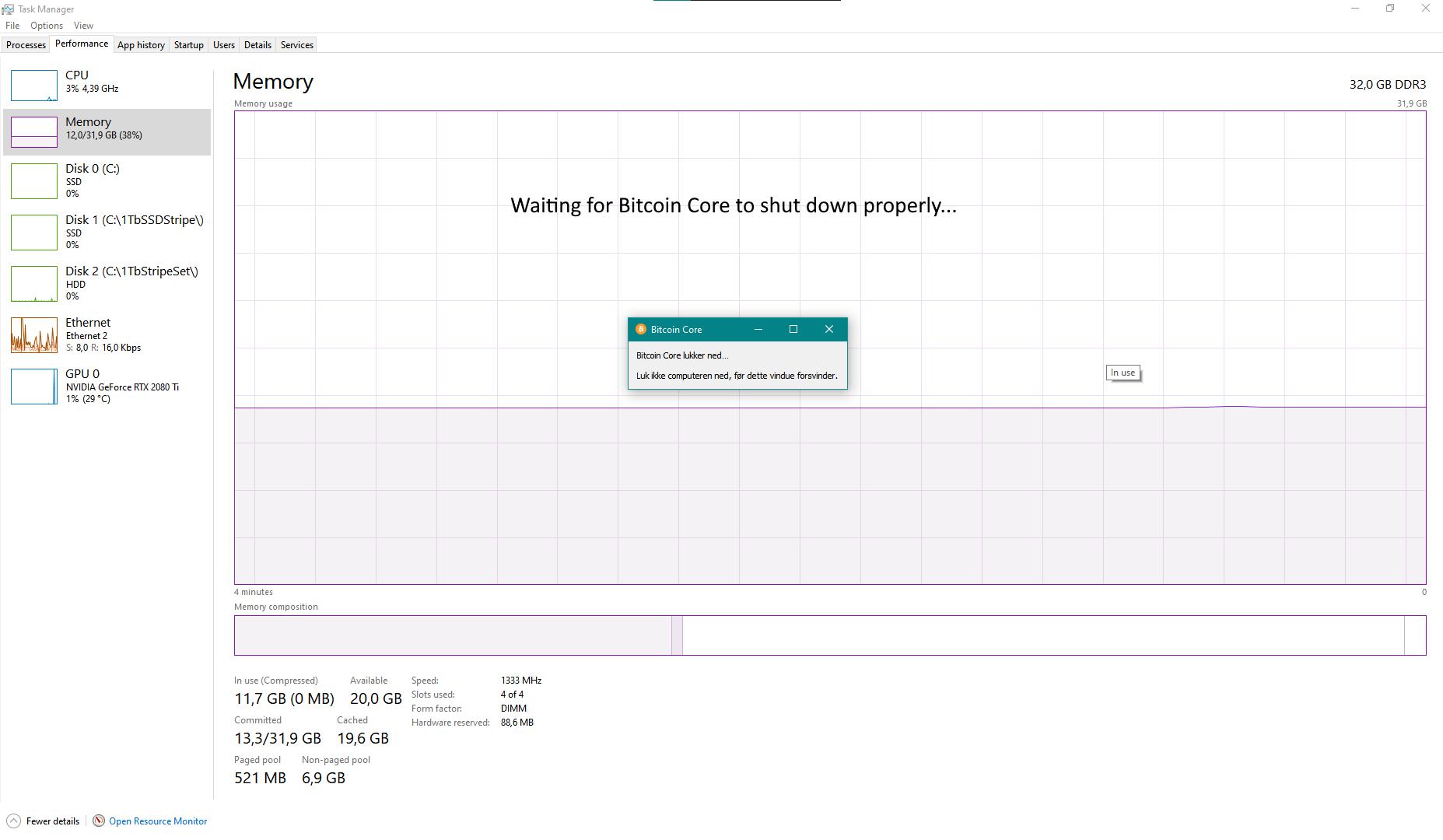
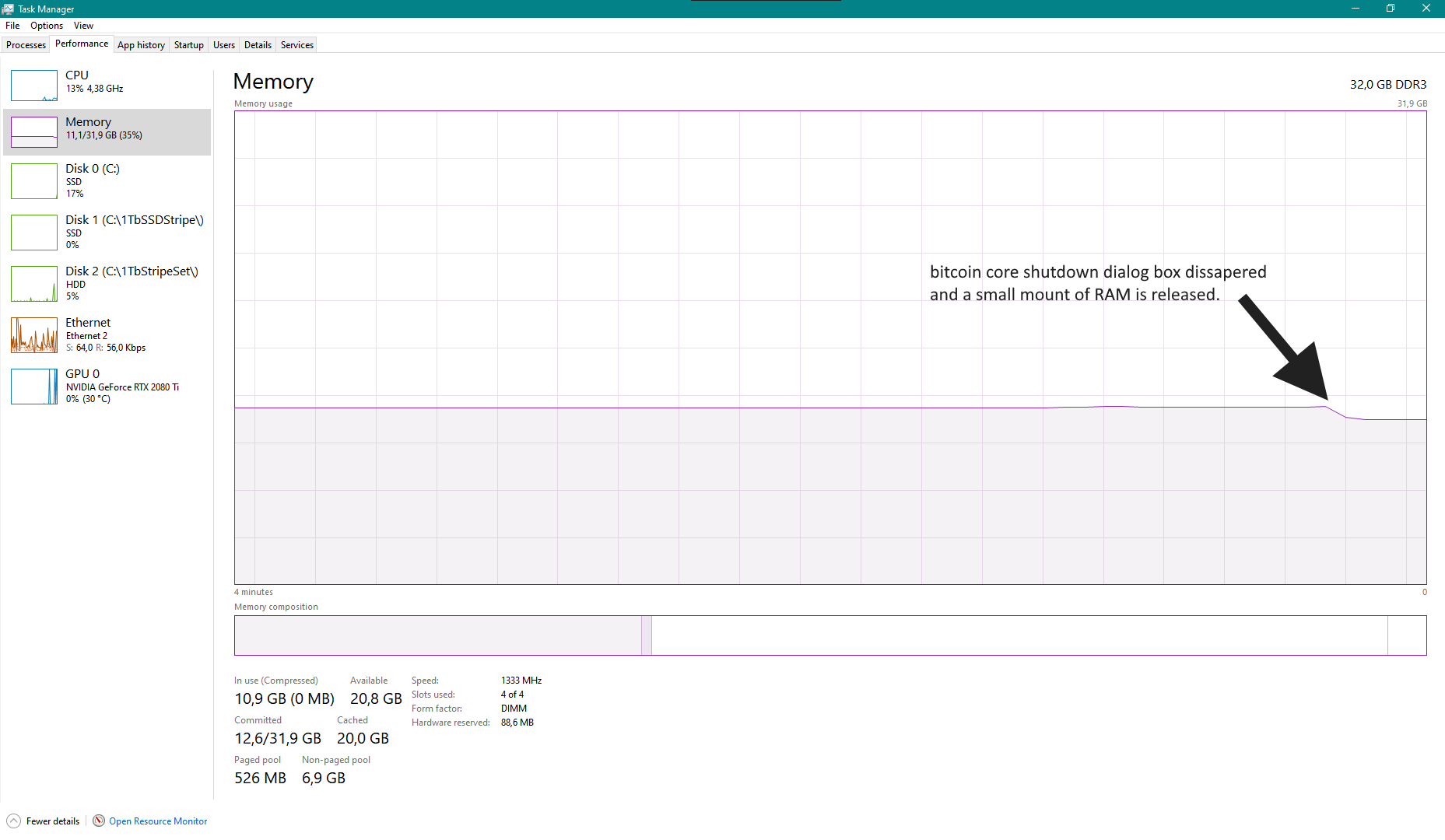
    Bitcoin Core slowly increase RAM use during first-run syncronization and RAM is not released on shutdown. Only a cold reboot of the computer restore the RAM as unused. Time will tell if the problem continues after initial syncronisation is completed.

    Expected behavior

    Bitcoin Core use a "resonable" amount of RAM during initial syncronation and completely releases the RAM on shutdown.

    Actual behavior

    Skærmbillede 2021-01-10 162655

    To reproduce

    I have shut the program down and restarted it several times and the problem persists.

    System information

    Bitcoin Core vc0.20.1 downloaded from bitcoincore.org Windows 10 fully up to date. 32 Gb RAM, 512 Gb M.2 system disk


  2. fmjensen added the label Bug on Jan 10, 2021
  3. MarcoFalke deleted a comment on Jan 10, 2021
  4. MarcoFalke commented at 8:50 AM on January 11, 2021: member

    It is expected for the GUI to keep the memory until the small "shutdown in progress" window disappears. Do you see that window and which process does the task manager associate the memory with?

  5. MarcoFalke added the label Windows on Jan 11, 2021
  6. fmjensen commented at 10:02 AM on January 11, 2021: none
    • I see the small window explaining that the computer shoud not be powered off before it dissapears. And i always wait for it to do it's thing before doing anything else.
    • The taskmanager does not show wich process is hogging memory - that is what is really weird to me. It is however very clear to me that it only happens while I have Bitcoin Core running. The bitcoin-qt.exe process is growing in memory use, but no where near what could explain that almost all of my 32 Gigs of RAM beeing used, and bitcoin-qt.exe does in fact release what task manager show it is using.

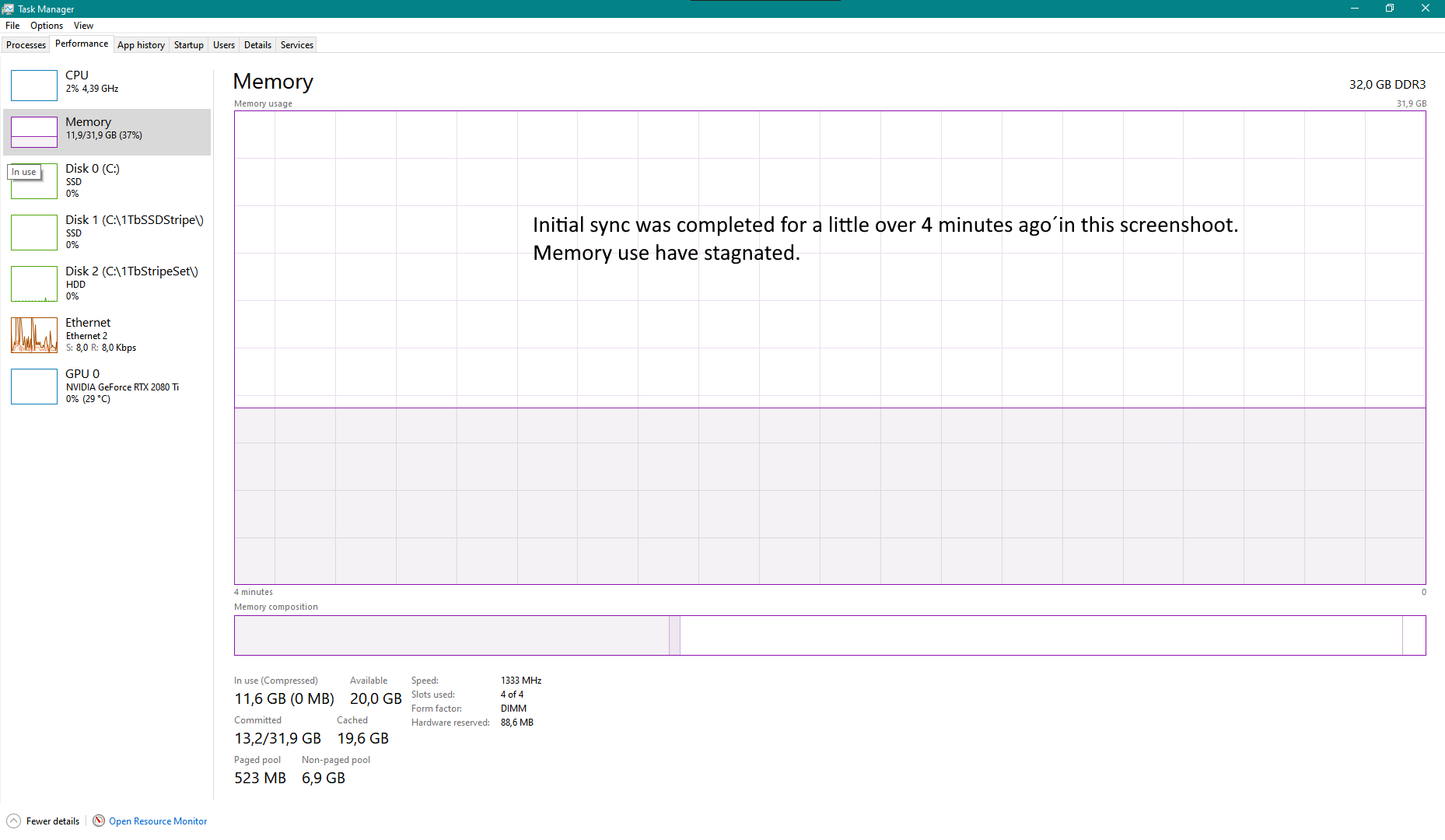
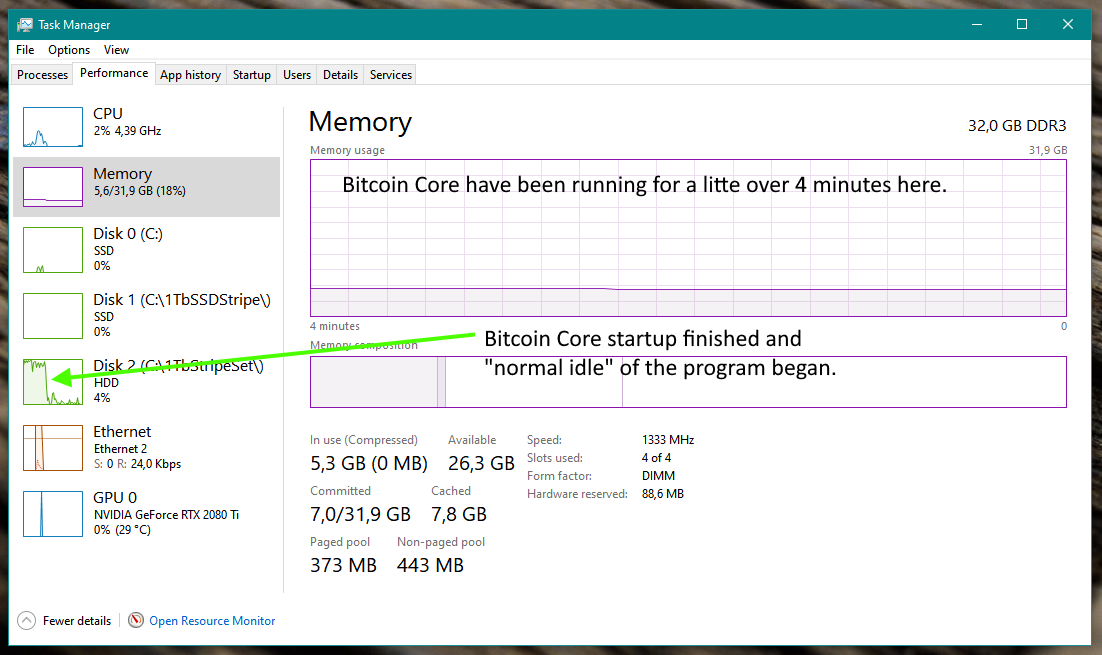
    To further explain the memory consumption is happening really really slowly - i changed the update speed of the task manager from normal to low hence the 4 minutes window is shown in screenshot above, to show it graphical there. I don't know if this helps but here is a task manager screenshot ~10 minutes after i started bitcoin core today. It is 95% done with the initial sync. says it still got 15 hoursto go. I will see if i can remember to take a similar screenshot in a few hours to comparison. Skærmbillede 2021-01-11 105758

  7. MarcoFalke commented at 10:10 AM on January 11, 2021: member

    I don't know about Windows, but some operating systems will load read files in RAM (to optimistically speed up re-reads). Not sure how to find out whether that is the case here.

  8. fmjensen commented at 10:16 AM on January 11, 2021: none

    I do not know about that, but no matter what OS a program is running under, then it should release all used resources, RAM included, when the program is shut down... not require the computer to be rebooted to make the RAM avilable to other running programs!?

  9. fmjensen commented at 1:08 PM on January 11, 2021: none

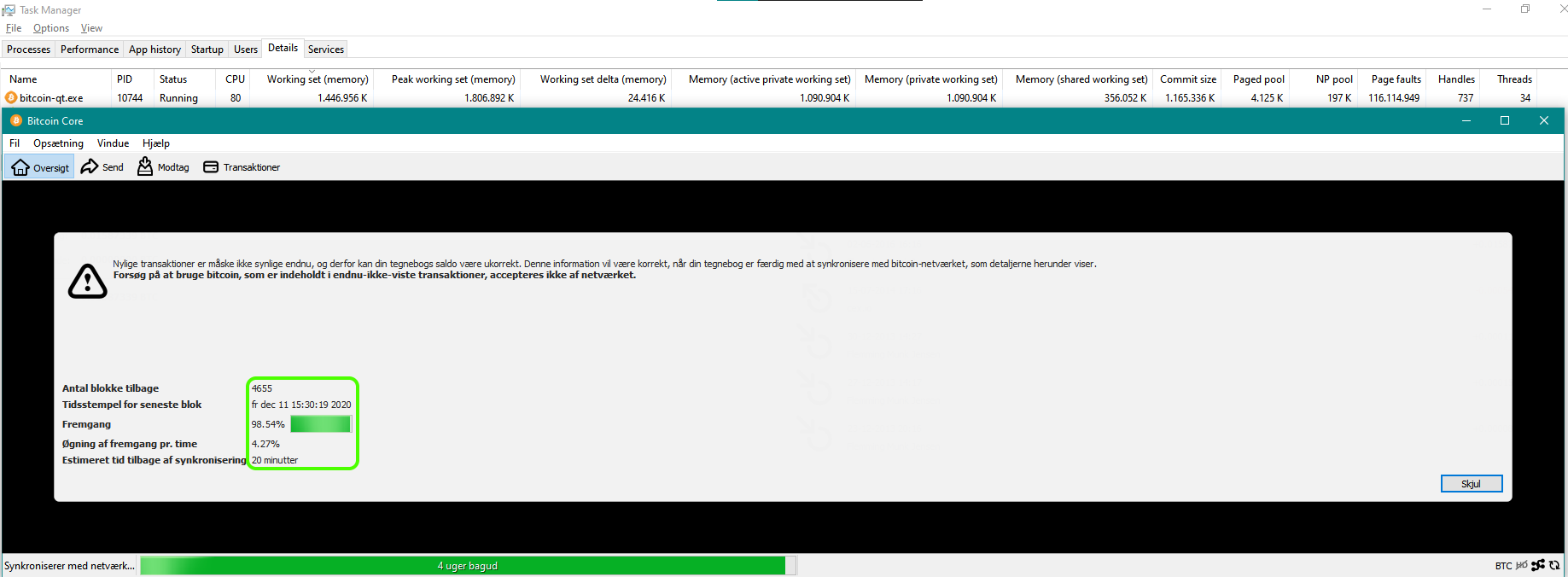
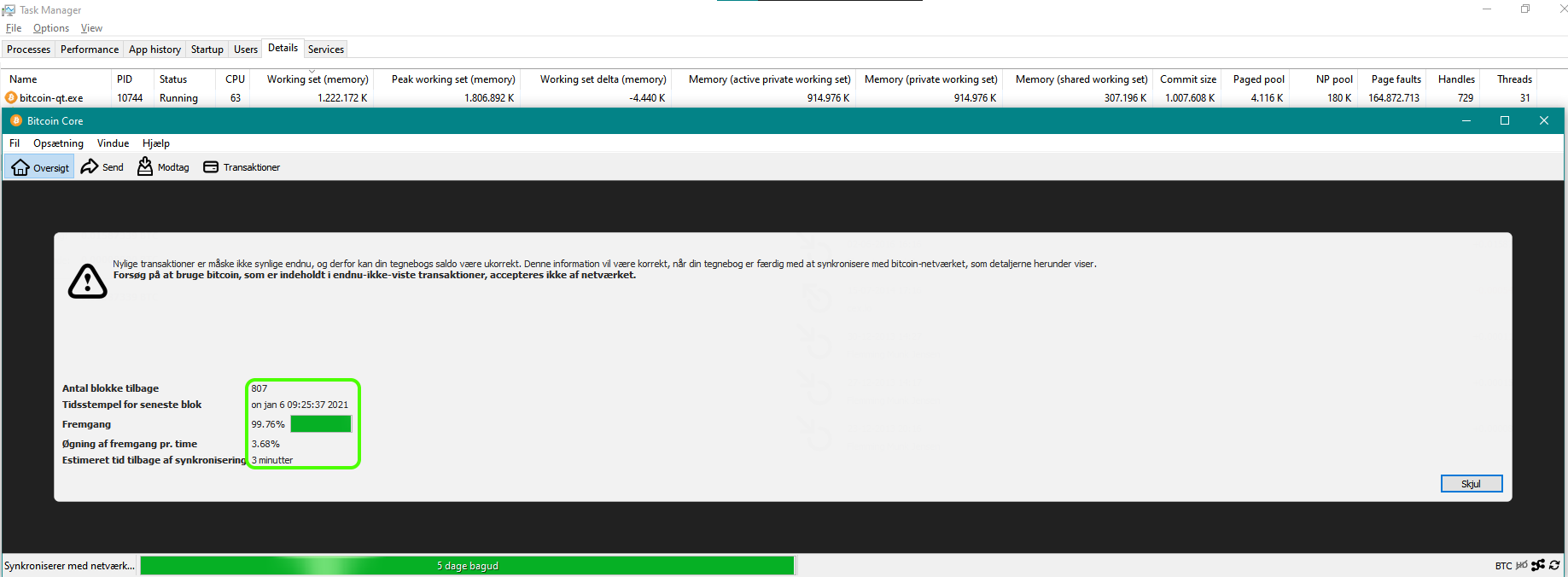
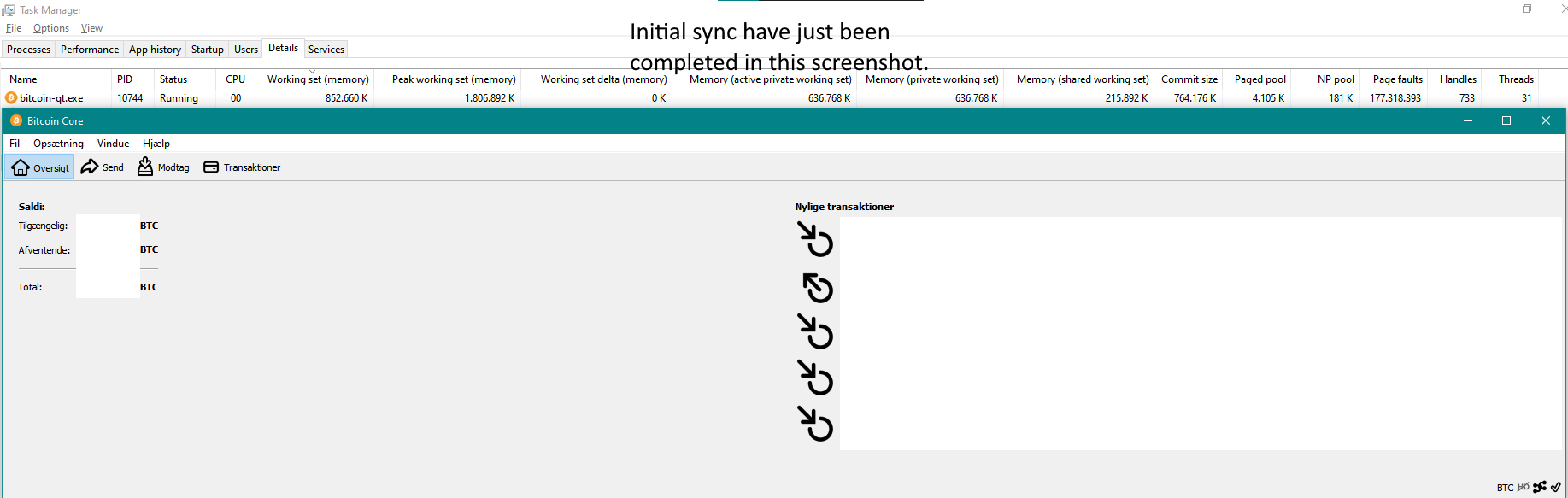
    Following is a series of screenshots of what i saw in the last hours of initial syncronization. I think the memory hogging was worse in the beginning of syncronization. Unfortunately i haven't got any screenshots of the problem fraom the early part of syncronization when i realized something is off because almost all of my 32Gb RAM was in use and I started to see performance issues ;-)

    Skærmbillede 2021-01-11 105758

    • 20 minutes to go. Skærmbillede 2021-01-11 114854
    • 6 minutes to go. Skærmbillede 2021-01-11 120303
    • 3 minutes to go. Skærmbillede 2021-01-11 120651
    • Initial syncronization just completed. Skærmbillede 2021-01-11 123846
    • 4 minutes after sync. completed. Skærmbillede 2021-01-11 123954
    • Shutting Bitcoin Core down: Skærmbillede 2021-01-11 125452
    • Graceful shutdown complete. Skærmbillede 2021-01-11 125514
    • Skærmbillede 2021-01-11 125624
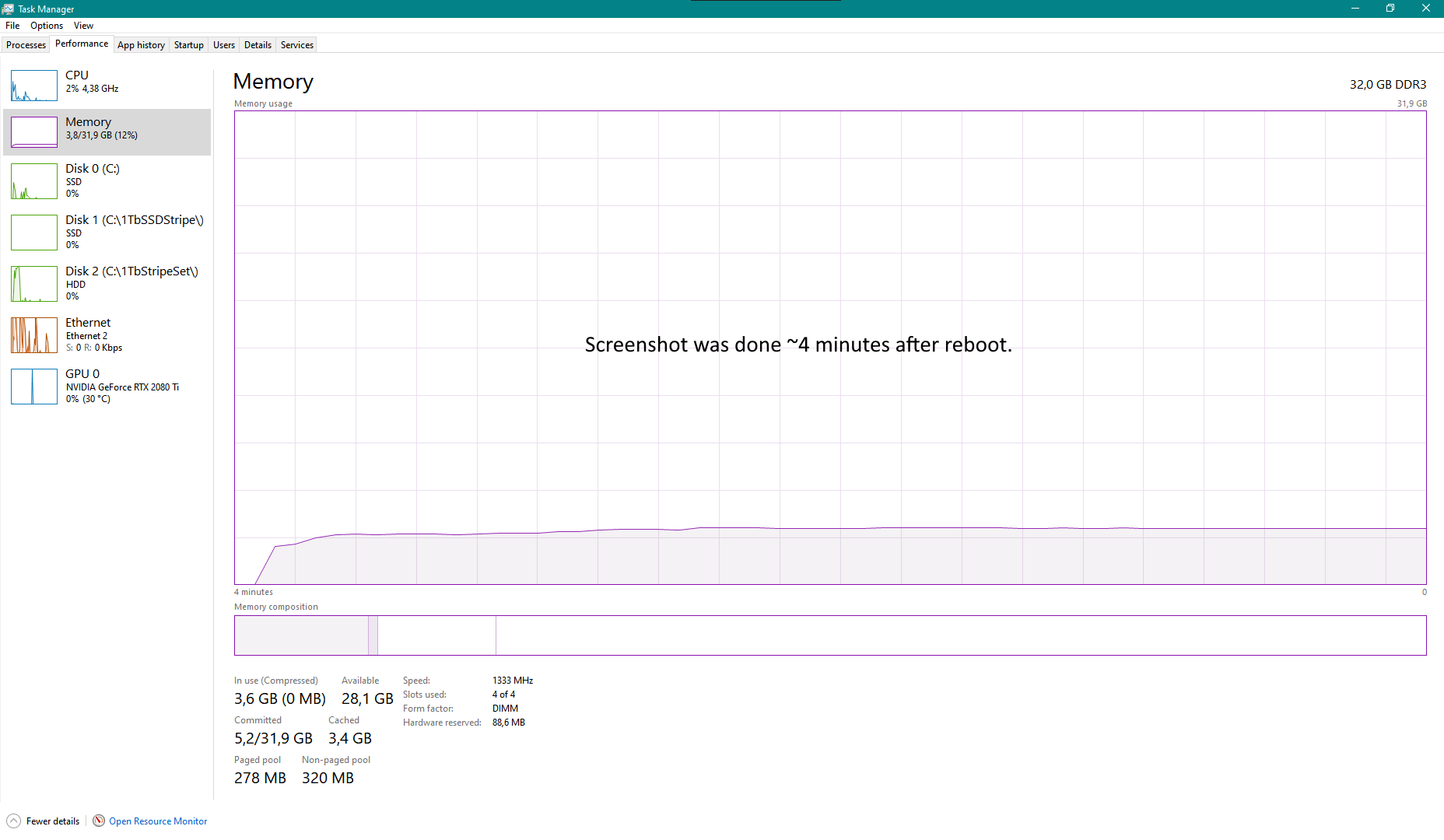
    • Computer was rebooted. Skærmbillede 2021-01-11 130122
    • After reboot Bitcoin Core runs nicely and without any memory hogging going on. Skærmbillede 2021-01-11 134918
  10. jonasschnelli commented at 1:36 PM on January 11, 2021: contributor

    RAM management is up to the OS. Once an application has terminated, the OS gains full control back over the RAM. I guess what you see is released RAM but not necessary occupied by another process. Though that's said: I'm far away from being an MS Windows exert.

  11. ghost commented at 8:07 PM on January 11, 2021: none

    I tried to reproduce this on a system with similar config but 8 GB RAM. Had no issues.

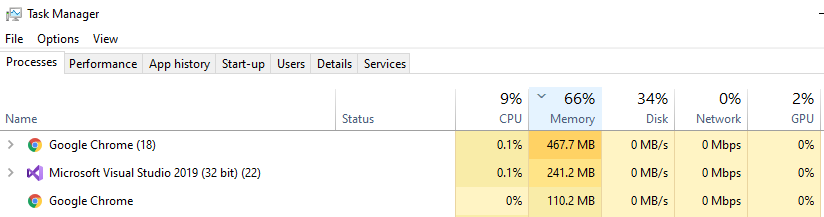
    Before starting Bitcoin Core: image

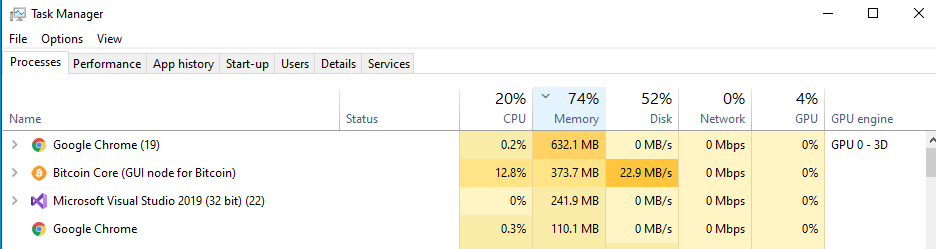
    After starting Bitcoin Core(splash screen): image

    While sync is going on: image

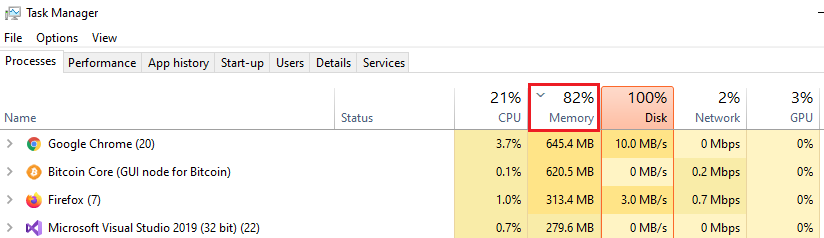
    After sync is finished: image

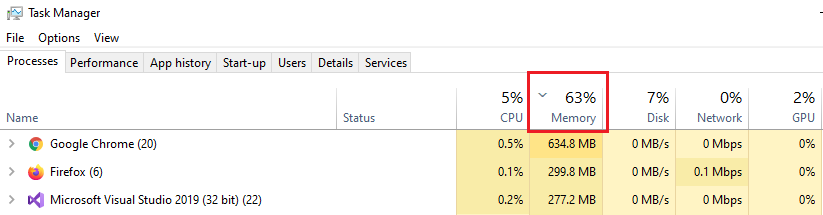
    After closing Bitcoin Core: image

  12. fmjensen commented at 7:06 AM on January 14, 2021: none

    I just noticed in my screenshots above that the program caused 177.318.393 Page Faults. That is a LOT But Ohkay - idk anyway - was just trying to be helpfull... I deeply apologise for wasting your time.

  13. fmjensen closed this on Jan 14, 2021

  14. DrahtBot locked this on Aug 18, 2022

github-metadata-mirror

This is a metadata mirror of the GitHub repository bitcoin/bitcoin. This site is not affiliated with GitHub. Content is generated from a GitHub metadata backup.
generated: 2026-04-17 03:14 UTC

This site is hosted by @0xB10C
More mirrored repositories can be found on mirror.b10c.me