compiling bitcoin_qt in Visual Studio fails, because of Berkeley DB #17864

issue Softwareminister opened this issue on January 4, 2020
  1. Softwareminister commented at 5:55 AM on January 4, 2020: none

    <!-- Describe the issue -->

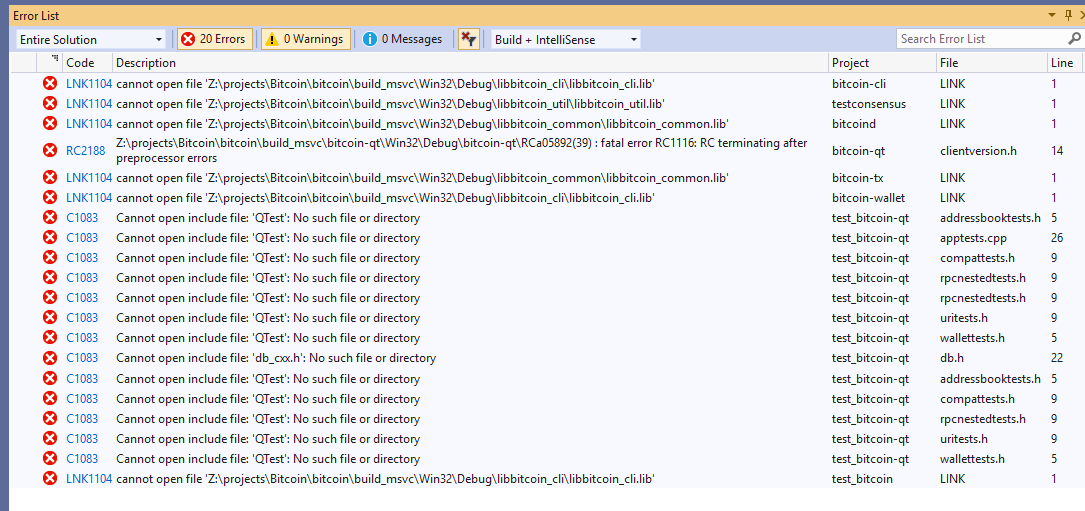
    bitcoin_qt fails to compile because of a missing header "db_cxx.h". Berkeley DB R11 which is contained in GitHub does not contain a file "db_cxx.h", so I took the current R18 directly from Oracle. There exists a "db_cxx.h", but other errors appear: "pthread.h" is now missing, which seems to be a threading technique especially for UNIX. I did not find any solution, either a matching Berkeley DB, nor a way to configure the R18 header files for compiling in Microsoft Visual Studio. The documentation states, compilation was successfully tested, so I ask myself how it can be resolved ?

    Expected behavior that compiling bitcoin_qt works in Visual Studio

    Actual behavior see screenshot attached

    To reproduce just download the project and compile it in MS VS

    System information Windows 10 latest patches, MS Visual Studio 2019 latest patches latest Bitcoin Core code as offered here screenshot

  2. Softwareminister added the label Bug on Jan 4, 2020
  3. fanquake added the label Windows on Jan 4, 2020
  4. fanquake assigned sipsorcery on Jan 4, 2020
  5. sipsorcery commented at 10:32 AM on January 4, 2020: member

    Did you install vcpkg and the dependencies as per the instructions? The db.h and db_cxx.h files are in the vckg\installed\x64-windows-static\include directory.

    If you did then the next thing is to double check you've set the Platform in Visual Studio to match your vcpkg triplet. For example if your vcpkg triplet is x64-windows-static you need to make sure you are doing an x64 platform build in Visual Studio.

  6. Softwareminister commented at 10:38 AM on January 4, 2020: none

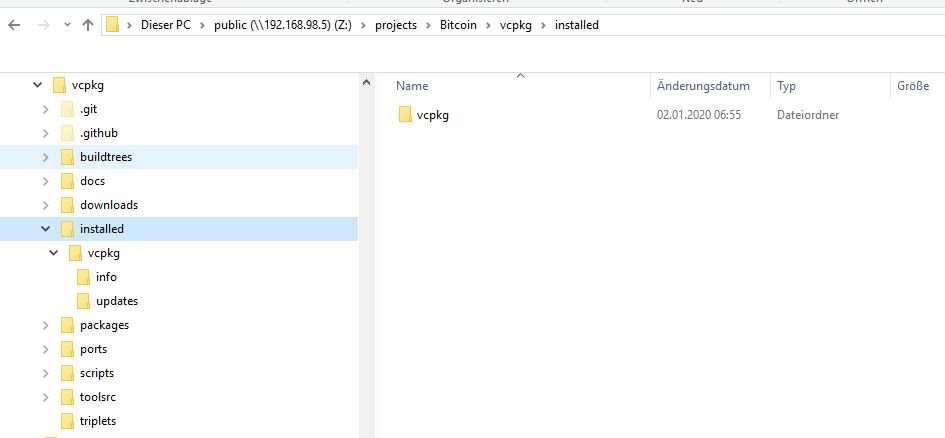
    I did install vcpkg, that was my first approach. See for details: https://github.com/microsoft/vcpkg/issues/9526 So I was forced to continue "by foot". vcpkg as a package installed succesfully, compiled successfully, but does not contain any "x64" folder under "installed", and neither does it have db_cxx.h: screenshot What can I do ?

  7. sipsorcery commented at 10:47 AM on January 4, 2020: member

    Understood.

    Be aware that manually building the libraries needed for Bitcoin Core is a major endeavour. It's likely to take in the order of days (if not weeks) and involve lots of different build systems (autoconf, cmake etc) which all have their learning curves. If I was you I would work on solving the vcpkg install first rather than attempting to install the dependencies manually.

    In case it helps when I needed to install vcpkg on a non local drive in the past I did so on the C:\Drive and then copied the whole directory to the network drive. If you then run vcpkg integrate install from the new location it should work fine.

    Other than that if you really do want to proceed with the manual path I've attached the db_cxx.h header from my system.

    db_cxx.zip

  8. Softwareminister commented at 10:54 AM on January 4, 2020: none

    Be aware that manually building the libraries needed for Bitcoin Core is a major endeavour. It's likely to take in the order of days (if not weeks) and involve lots of different build systems (autoconf, cmake etc) which all have their learning curves. If I was you I would work on solving the vcpkg install first rather than attempting to install the dependencies manually. I am aware :) I am waiting for help in the other thread, and tried to proceed the alternative way.

    I am working on it since several days now. It sounded inviting when in the docs there is stated "works in Visual studio, tested successfully", and you try it out yourself and are stuck with all these problems; I am really no newbie.

    Thanks for your help, is highly appreciated, I will use your zip and tell what came out

  9. MithrilMan commented at 1:49 AM on January 5, 2020: none

    would be nice to have a docker image that can be used to build bitcoin

    adding link https://code.visualstudio.com/docs/remote/containers

  10. MarcoFalke commented at 9:08 PM on January 6, 2020: member

    Thanks for your help, is highly appreciated, I will use your zip and tell what came out

    Anything left to do here? Otherwise this can be closed?

    would be nice to have a docker image that can be used to build bitcoin

    Looks like this is better suited as a new feature request issue.

  11. MithrilMan commented at 10:36 PM on January 6, 2020: none

    @MarcoFalke ok opened an issue about that I think it would be a gap closer to help people to have their hand dirty with bitcoin core code (I'd be one of them)

  12. Softwareminister commented at 9:45 AM on January 7, 2020: none

    Sorry for the silence, I am still fighting. I had vcpkg installed locally instead of a SAN drive, then the vcpkg process worked. I am currently installing python to continue the proposed process, this takes a moment. In parallel, I was struggling to continue "by hand", and made little progress. The Berkeley DB errors disappeared now as all packages were installed correctly. But I have currently other errors, which I will describe in the next post with screenshots

  13. Softwareminister commented at 9:57 AM on January 7, 2020: none

    This is the result of trying to compile bitcoin_wallet. It looks like the "libbitcoin_cli" project, which is missing in the offered source code, is missing for the linker. As a result, building bitcoin_wallet fails because of the linker error. I cannot find the source code for "libbitcoin_cli" anywhere. To me, it looks like "libbitcoin_cli" is a deprecated module, a re-organization took place, but the project bitcoin_wallet was not updated to this re-organization, so the compilation fails. I am still fiddling to try other libs, to replace the dead link to libbitcoin_cli screenshot

  14. sipsorcery commented at 10:01 AM on January 7, 2020: member

    You need to make sure you run the steps from the instructions in order. The python command py -3 build_msvc\msvc-autogen.py generates a number of the project files. You won't get a successful build without running it.

  15. Softwareminister commented at 12:09 PM on January 7, 2020: none

    sipsorcery, I did. I have run the python script, I did get no response at all from that script, also no error. Now, when I clean all projects, and do a rebuild all, there is still the problem with the abandoned projects which have no code any more, and stop the build:

    screenshot

    I have currently no clue how to solve this

  16. sipsorcery commented at 12:16 PM on January 7, 2020: member

    Try:

    1. Double Triple check you've set the Platform in Visual Studio to match your vcpkg triplet. For example if your vcpkg triplet is x64-windows-static you need to make sure you are doing an x64 platform build in Visual Studio.

    2. Temporarily disable building the Qt projects in Configuration Manager (bitcoin-qt, libbitcoin_qt and test_bitcoin-qt).

  17. Softwareminister commented at 1:17 PM on January 7, 2020: none

    sipsorcery, thanks. Whether I compile x86 or x64 makes no difference, the build errors are nearly identical, the projects are missing. QT is another problem, I would ignore these problems in the moment. But isn't the reason obvious ? Look into the project structure, just inspect libbitcoin_cli project for example. Do you see, there is no code at all ? What sense does it then make to enforce binding at libbitcoin_cli ?

  18. sipsorcery commented at 1:25 PM on January 7, 2020: member

    Do you see, there is no code at all ? What sense does it then make to enforce binding at libbitcoin_cli ?

    It will contain code if you have run the py -3 build_msvc\msvc-autogen.py step successfully.

    bitcoinsln

    You can be confident the build configuration works. The equivalent msvc build steps gets run automatically on every commit and PR to Bitcoin Core. Any issues you're having are due to your local set up.

  19. Softwareminister commented at 1:27 PM on January 7, 2020: none

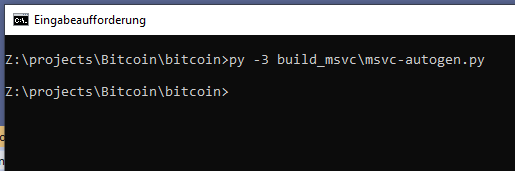
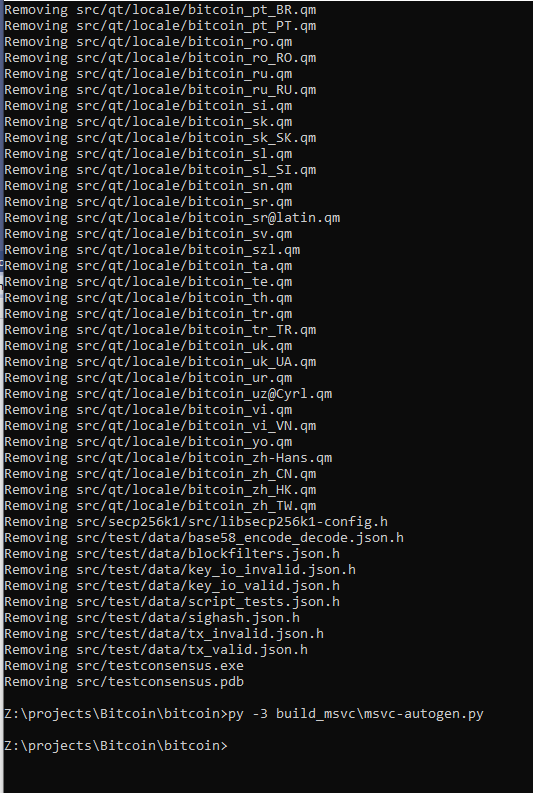
    Thats what happens:

    screenshot

    I was thinking this is a good sign, but I understand there is a problem ? Can I debug this somehow ?

  20. sipsorcery commented at 1:35 PM on January 7, 2020: member

    No output is the expected behavior (I agree that is somewhat confusing that could perhaps be improved).

    It's a very simple script and there is no debug output. To check that it's worked correctly inspect the directories for the projects below and see if .vcxproj file has appeared. The script creates some (not all) of the simpler .vcxproj files based on the corresponding vcxproj.in file.

        'libbitcoin_cli',
        'libbitcoin_common',
        'libbitcoin_crypto',
        'libbitcoin_server',
        'libbitcoin_util',
        'libbitcoin_wallet_tool',
        'libbitcoin_wallet',
        'libbitcoin_zmq',
        'bench_bitcoin',
        'libtest_util',
    

    If the .vcxproj file has been created and there are still no source files showing up under the project then there must be a problem with paths somehow. Open up one of the .vcxproj files in notepad and see where it's looking for the source files.

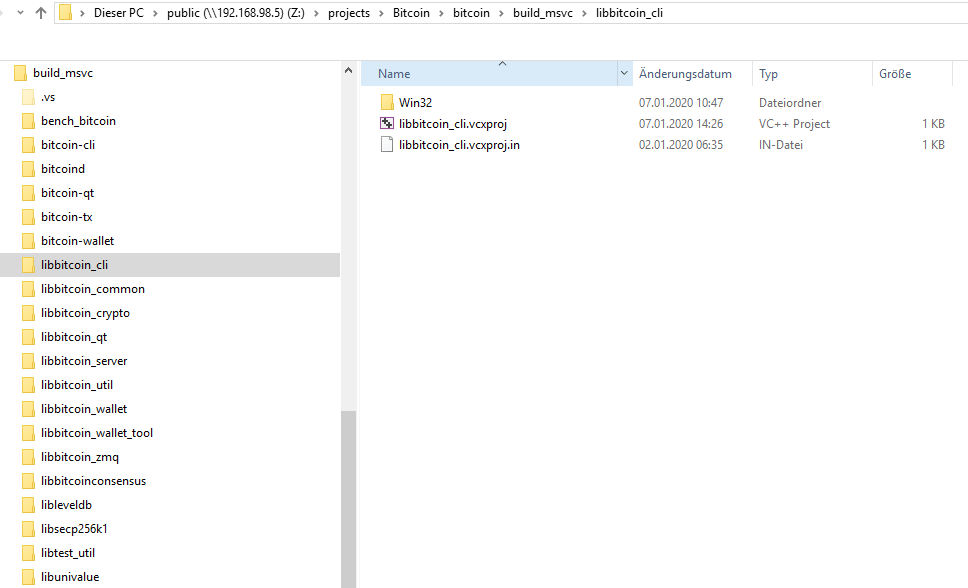
  21. Softwareminister commented at 1:51 PM on January 7, 2020: none

    Yes, they all have a .vcxproj:

    screenshot

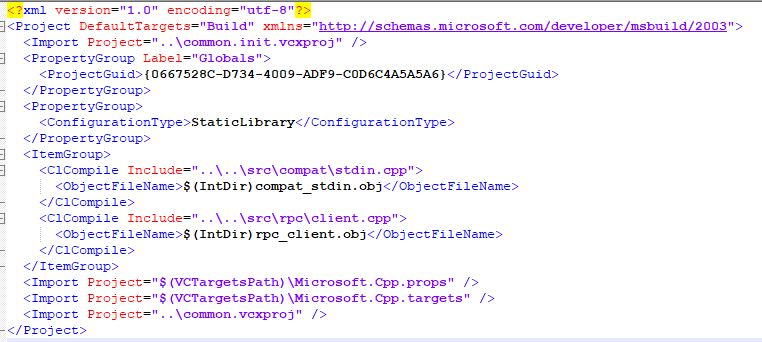
    This is the content:

    screenshot2

    What I don't understand: for successful building, I need a .lib file, not a .vcxproj file. And I cant compile these projects: The .vcxproj is available, but inside the solution, the project looks like this:

    screenshot3

    But just this second, when I fiddled a little around, I found out the project can be "reloaded" by right-clicking with the mouse, and suddenly like magic, files are contained. I will manually go through, and recompile !

  22. Softwareminister commented at 2:15 PM on January 7, 2020: none

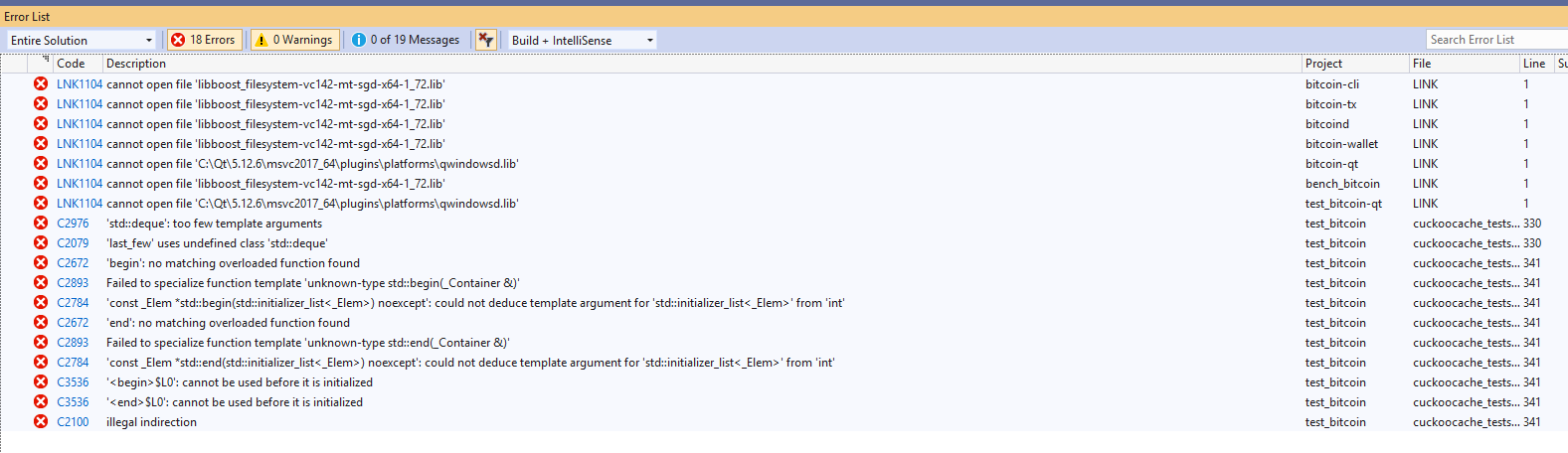
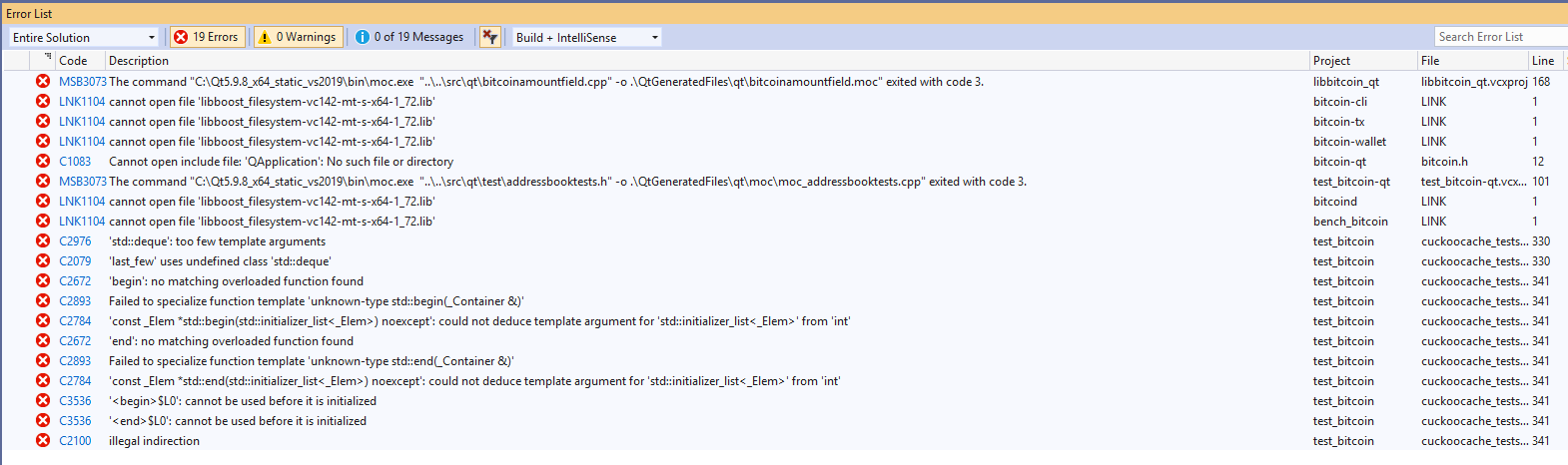
    Progress ! The libboost linkage and the Qt stuff I will find out on my own, I think, but the stdlib errors at the end will be tough work

    screenshot

  23. sipsorcery commented at 2:40 PM on January 7, 2020: member

    It looks to me like your environment has gotten a bit confused. There's no explicit call to link to the libboost_filesystem... libraries anywhere in the configuration. Plus if you used the vcpkg triplet of x64-windows-static the library being linked should be of the form boost_filesystem-vc140-mt.lib (at least that's what vcpkg installed for me). If you've manually added linker inputs to the project files that would explain some of the errors.

    IF you haven't made any changes you want to keep I'd recommend the following steps;

    # In your vcpkg directory (if packages are already installed these steps will be instant)
    vcpkg install --triplet x64-windows-static boost-filesystem boost-multi-index boost-signals2 boost-test boost-thread libevent zeromq berkeleydb rapidcheck double-conversion
    vcpkg integrate install
    
    # Download Qt binaries and extract to c: (has to be c: due to the way Qt hard codes paths)
    wget https://github.com/sipsorcery/qt_win_binary/releases/download/v1.6/Qt5.9.8_x64_static_vs2019.zip
    follow steps here to verify https://github.com/sipsorcery/qt_win_binary/releases/tag/v1.6
    extract to c:\
    
    # In your bitcoin repo directory
    git reset --hard HEAD
    git clean -fX
    py -3 build_msvc\msvc-autogen.py
    
    # Open an x64 VS 2019 command prompt and cd to your bitcoin repo directory
    msbuild /m build_msvc/bitcoin.sln /p:Configuration=Release /t:clean,build
    

    By using msbuild from the command line you can eliminate any Visual Studio configuration issues. If the command line build works you should then be able to open the bitcoin.sln in Visual Studio 2019 and perform the same build (make sure to select x64 as the platform).

  24. Softwareminister commented at 5:07 PM on January 7, 2020: none

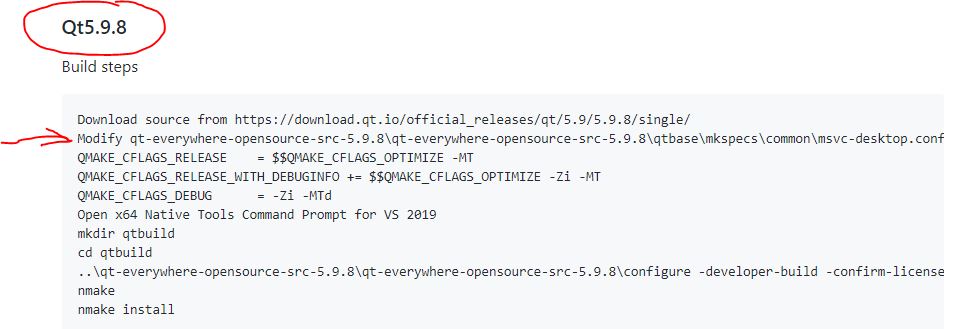
    Thanks for your patience, sipsorceryDid the vcpkg stuff (first 2 lines) with success. Downloaded the zip file with Qt that you named, and wanted to "follow steps here to verify https://github.com/sipsorcery/qt_win_binary/releases/tag/v1.6", that must mean part Qt5.9.8:

    screenshot2

    But when the zip file is unzipped, I don't find any file like "qt-everywhere-opensource-..", where is it ?

  25. sipsorcery commented at 5:12 PM on January 7, 2020: member

    You don't need to build Qt unless you really want to. I've already done that for you. The instructions I was referring to were the ones to verify the zip file with the prebuilt Qt binaries haven't been tampered with (by anyone but me).

    (optional) gpg --search aaron@sipsorcery.com
    gpg --verify sha256sum.asc
    shasum -c sha256sum.asc
    

    The instructions you started on were the ones to build Qt from source. And building Qt on Windows makes Bitcoin Core look easy.

  26. Softwareminister commented at 5:32 PM on January 7, 2020: none

    OK, understood. I proceeded this way; unzipped the .zip file to "C:\Qt", because it starts in root with 8 directories. Then the cmd output looked like:

    screenshot

    ... and so on ....

    screenshot3

    Again, no feedback from python. I will now start a new build in Visual Studio with Release X64; I am reluctant to use msbuild, because it is a separate tool from Visual Studio, and my VS installation is a bit critical, destroying my VS would cost me a lot of work. I'll report what the build did ...

  27. Softwareminister commented at 6:32 PM on January 7, 2020: none

    image

    A short intermediate picture. Looks like the Qt folder is expected to have a special name. I renamed the Qt folder like it seems it has to look like, and repeat all steps including the build

  28. sipsorcery commented at 6:43 PM on January 7, 2020: member

    The Qt directory is set in the build_msvc\common.qt.init.vcxproj. You can change it there but you'll still run into problems because when you build Qt you have to set the install path which is then used by the various tools. I'd recommend just leaving it as C:\Qt5.9.8_x64_static_vs2019.

    Visual Studio uses msbuild under the hood. Building from the command line with msbuild does exactly the same thing as clicking build in Visual Studio. You won't break anything in your environment.

  29. Softwareminister commented at 8:05 PM on January 7, 2020: none

    screenshot

    I managed to get rid of the QT errors by making the folder name unique and setting it in the .vcproj. But still there are some more errors remaining. I will continue tomorrow and try to figure out where the request for "libboost" comes from. Thanks and good night !

  30. Softwareminister commented at 9:31 AM on January 8, 2020: none

    Update: I did not find out exactly why this special .lib is linked. But why having so much trouble in researching, I downloaded the desired version (Boost 1.72) and worked so long with the settings, until I was able to provide exactly the lib that is required. Done that. Now the result looks like this:

    screenshot

    Thats a biiiig advance ! It is only the testing stuff that is now bringing errors. Thanks sipsorcery for helping me until this milestone !

  31. sipsorcery commented at 9:54 AM on January 8, 2020: member

    For the duplicate boost symbols it might be due to an old object file hanging around in your build directory.

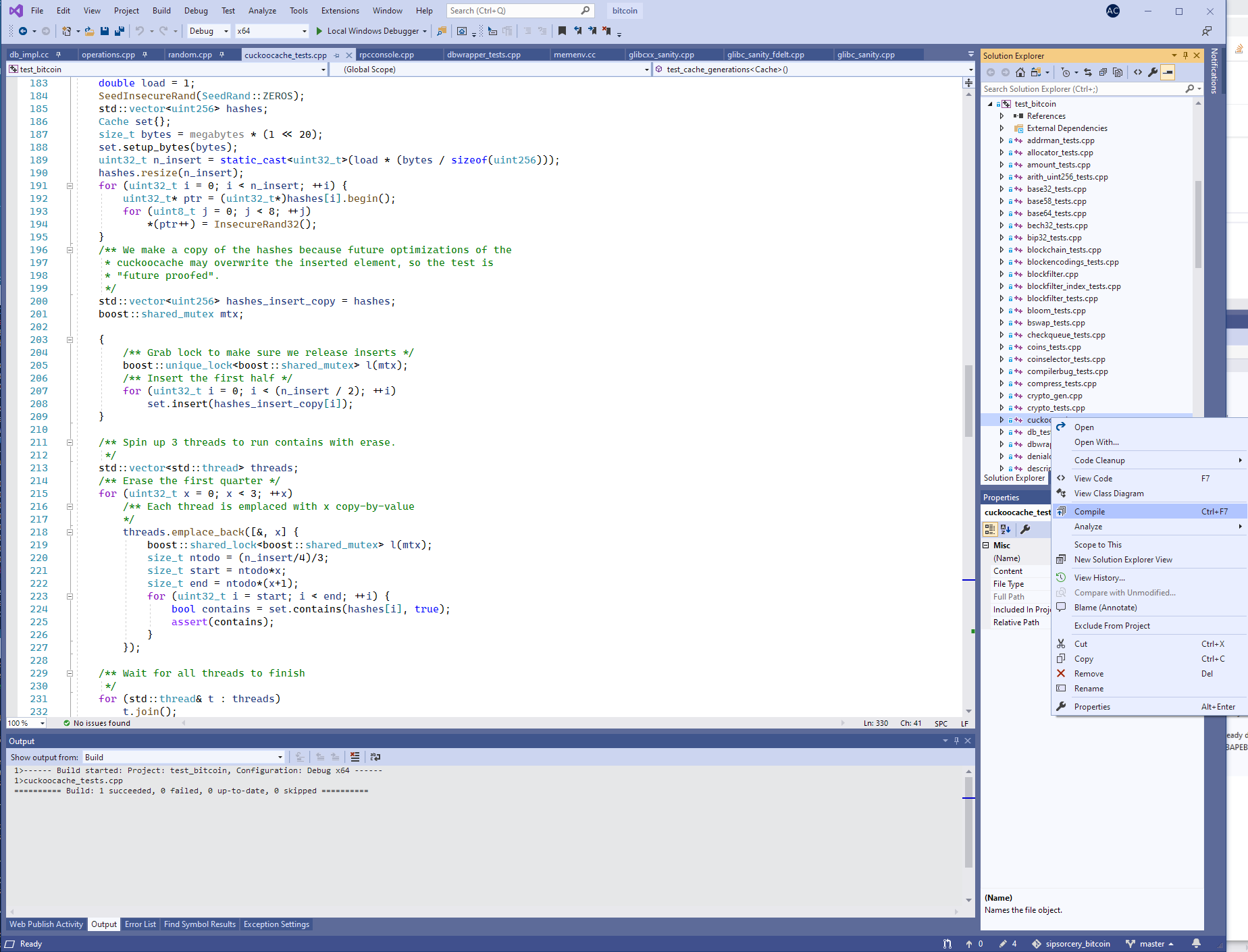
    The bigger problem is why the cukppcache_tests.cpp file is failing to compile. Can you do the single file compile step as shown in the screenshot below and paste what you get in the Visual Studio Output Window?

    btc_compile_test

  32. Softwareminister commented at 10:51 AM on January 8, 2020: none

    Did it; results are not surprising:

    1>------ Build started: Project: test_bitcoin, Configuration: Release x64 ------ 1>cuckoocache_tests.cpp 1>Z:\projects\Bitcoin\bitcoin\src\test\cuckoocache_tests.cpp(330,10): error C2976: 'std::deque': too few template arguments 1>Z:\projects\Bitcoin\bitcoin\src\boost\detail\container_fwd.hpp(131): message : see declaration of 'std::deque' 1>Z:\projects\Bitcoin\bitcoin\src\test\cuckoocache_tests.cpp(362): message : see reference to function template instantiation 'void cuckoocache_tests::test_cache_generations<CuckooCache::cache<uint256,SignatureCacheHasher>>(void)' being compiled 1>Z:\projects\Bitcoin\bitcoin\src\boost\bind\placeholders.hpp(54): message : see reference to class template instantiation 'boost::arg<9>' being compiled 1>Z:\projects\Bitcoin\bitcoin\src\boost\bind\placeholders.hpp(53): message : see reference to class template instantiation 'boost::arg<8>' being compiled 1>Z:\projects\Bitcoin\bitcoin\src\boost\bind\placeholders.hpp(52): message : see reference to class template instantiation 'boost::arg<7>' being compiled 1>Z:\projects\Bitcoin\bitcoin\src\boost\bind\placeholders.hpp(51): message : see reference to class template instantiation 'boost::arg<6>' being compiled 1>Z:\projects\Bitcoin\bitcoin\src\boost\bind\placeholders.hpp(50): message : see reference to class template instantiation 'boost::arg<5>' being compiled 1>Z:\projects\Bitcoin\bitcoin\src\boost\bind\placeholders.hpp(49): message : see reference to class template instantiation 'boost::arg<4>' being compiled 1>Z:\projects\Bitcoin\bitcoin\src\boost\bind\placeholders.hpp(48): message : see reference to class template instantiation 'boost::arg<3>' being compiled 1>Z:\projects\Bitcoin\bitcoin\src\boost\bind\placeholders.hpp(47): message : see reference to class template instantiation 'boost::arg<2>' being compiled 1>Z:\projects\Bitcoin\bitcoin\src\boost\bind\placeholders.hpp(46): message : see reference to class template instantiation 'boost::arg<1>' being compiled 1>Z:\projects\Bitcoin\bitcoin\src\test\cuckoocache_tests.cpp(330,1): error C2079: 'last_few' uses undefined class 'std::deque' 1>Z:\projects\Bitcoin\bitcoin\src\test\cuckoocache_tests.cpp(341,1): error C2672: 'begin': no matching overloaded function found 1>Z:\projects\Bitcoin\bitcoin\src\test\cuckoocache_tests.cpp(341,1): error C2893: Failed to specialize function template 'unknown-type std::begin(_Container &)' 1>C:\Program Files (x86)\Microsoft Visual Studio\2019\Professional\VC\Tools\MSVC\14.24.28314\include\xutility(1903): message : see declaration of 'std::begin' 1>Z:\projects\Bitcoin\bitcoin\src\test\cuckoocache_tests.cpp(341,1): message : With the following template arguments: 1>Z:\projects\Bitcoin\bitcoin\src\test\cuckoocache_tests.cpp(341,1): message : '_Container=int' 1>Z:\projects\Bitcoin\bitcoin\src\test\cuckoocache_tests.cpp(341,1): error C2784: 'const _Elem *std::begin(std::initializer_list<_Elem>) noexcept': could not deduce template argument for 'std::initializer_list<_Elem>' from 'int' 1>C:\Program Files (x86)\Microsoft Visual Studio\2019\Professional\VC\Tools\MSVC\14.24.28314\include\initializer_list(57): message : see declaration of 'std::begin' 1>Z:\projects\Bitcoin\bitcoin\src\test\cuckoocache_tests.cpp(341,1): error C2672: 'end': no matching overloaded function found 1>Z:\projects\Bitcoin\bitcoin\src\test\cuckoocache_tests.cpp(341,1): error C2893: Failed to specialize function template 'unknown-type std::end(_Container &)' 1>C:\Program Files (x86)\Microsoft Visual Studio\2019\Professional\VC\Tools\MSVC\14.24.28314\include\xutility(1913): message : see declaration of 'std::end' 1>Z:\projects\Bitcoin\bitcoin\src\test\cuckoocache_tests.cpp(341,1): message : With the following template arguments: 1>Z:\projects\Bitcoin\bitcoin\src\test\cuckoocache_tests.cpp(341,1): message : '_Container=int' 1>Z:\projects\Bitcoin\bitcoin\src\test\cuckoocache_tests.cpp(341,1): error C2784: 'const _Elem *std::end(std::initializer_list<_Elem>) noexcept': could not deduce template argument for 'std::initializer_list<_Elem>' from 'int' 1>C:\Program Files (x86)\Microsoft Visual Studio\2019\Professional\VC\Tools\MSVC\14.24.28314\include\initializer_list(63): message : see declaration of 'std::end' 1>Z:\projects\Bitcoin\bitcoin\src\test\cuckoocache_tests.cpp(341,1): error C3536: '<begin>$L0': cannot be used before it is initialized 1>Z:\projects\Bitcoin\bitcoin\src\test\cuckoocache_tests.cpp(341,1): error C3536: '<end>$L0': cannot be used before it is initialized 1>Z:\projects\Bitcoin\bitcoin\src\test\cuckoocache_tests.cpp(341,1): error C2100: illegal indirection 1>Done building project "test_bitcoin.vcxproj" -- FAILED. ========== Build: 0 succeeded, 1 failed, 0 up-to-date, 0 skipped ==========

  33. sipsorcery commented at 11:10 AM on January 8, 2020: member

    Try git pull to get the latest source (I think I saw one of your screenshots with the code being 2 months out of date) and then try compiling the single cuckoocache_tests.cpp compilation again.

    If you still get the error message below can you add #include <queue> at the top of the file.

    1>Z:\projects\Bitcoin\bitcoin\src\test\cuckoocache_tests.cpp(330,10): error C2976: 'std::deque': too few template arguments
    

    Note all these steps are experiments to satisfy my own interest about what's going wrong in your environment. It's very, very unlikely there is anything wrong with the Bitcoin Core code base causing your build failure. As mentioned previously across commits and PR's it's literally built ten's if not hundred's of times a day and it's rare for a build issue to make it to master.

  34. Softwareminister commented at 2:43 PM on January 8, 2020: none

    I did the git pull, in the root directory, but it looks to me that our cuckoo file didn't become refreshed:

    screenshot

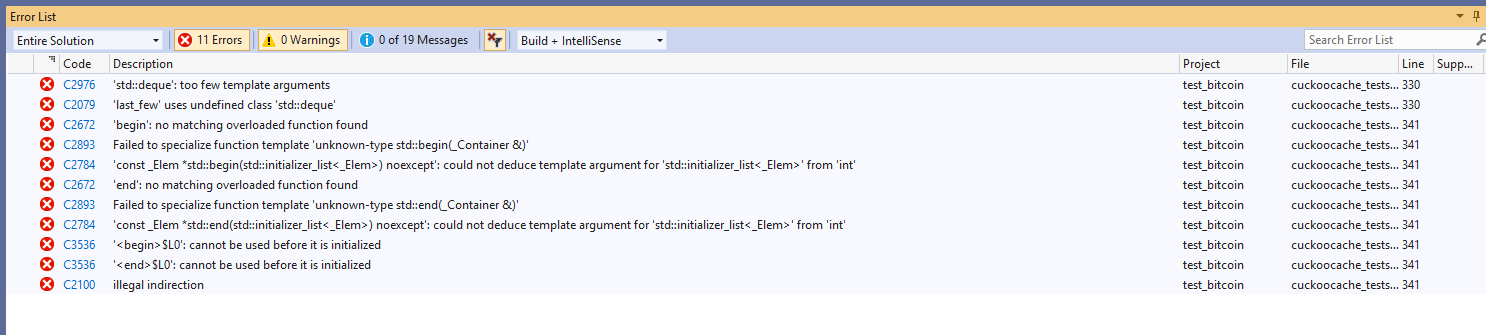
    After that, the build of the single project still had these 11 errors:

    screenshot3

    I will experiment now a little with the deque thing

  35. fanquake removed the label Bug on Jan 30, 2020
  36. fanquake closed this on Feb 4, 2020

  37. dangershony referenced this in commit 7644567758 on Feb 27, 2020
  38. fanquake referenced this in commit fe63d79eab on Feb 28, 2020
  39. sidhujag referenced this in commit e10bcd160c on Feb 28, 2020
  40. HashUnlimited referenced this in commit 9148d1ac74 on Apr 17, 2020
  41. sidhujag referenced this in commit e6053ef930 on Nov 10, 2020
  42. backpacker69 referenced this in commit d43cad406c on Mar 28, 2021
  43. DrahtBot locked this on Feb 15, 2022

github-metadata-mirror

This is a metadata mirror of the GitHub repository bitcoin/bitcoin. This site is not affiliated with GitHub. Content is generated from a GitHub metadata backup.
generated: 2026-04-15 06:14 UTC

This site is hosted by @0xB10C
More mirrored repositories can be found on mirror.b10c.me